
Piano Way
A friendly piano learning app designed to make playing feel simple, approachable, and achievable for beginners

Piano Way
A friendly piano learning app designed to make playing feel simple, approachable, and achievable for beginners
Piano Way
A friendly piano learning app designed to make playing feel simple, approachable, and achievable for beginners
Problem
People think playing the piano is something you need to learn for years and is hard
Well, I got it. Classic piano schools are full of unattractive things like solfège and scales and the moment when you can finally play anything cool seems distant.
Also, not everyone can afford a piano tutor and had already struggled with self education (video lessons on YouTube).
💡 Product idea
Interactive app that teaches you piano in an easy and engaging way. No more long, detailed, dull lessons — just more actual playing
Research
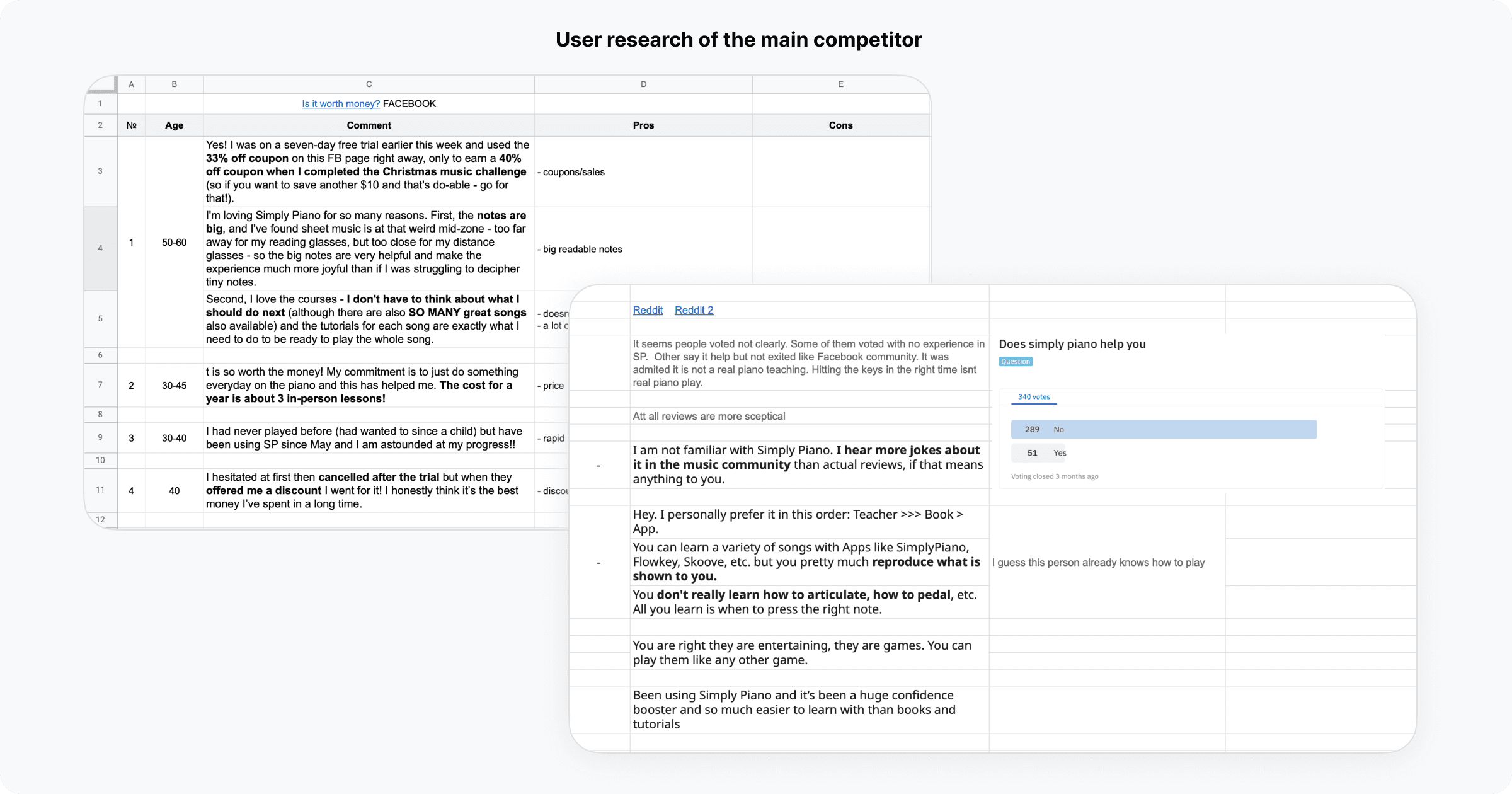
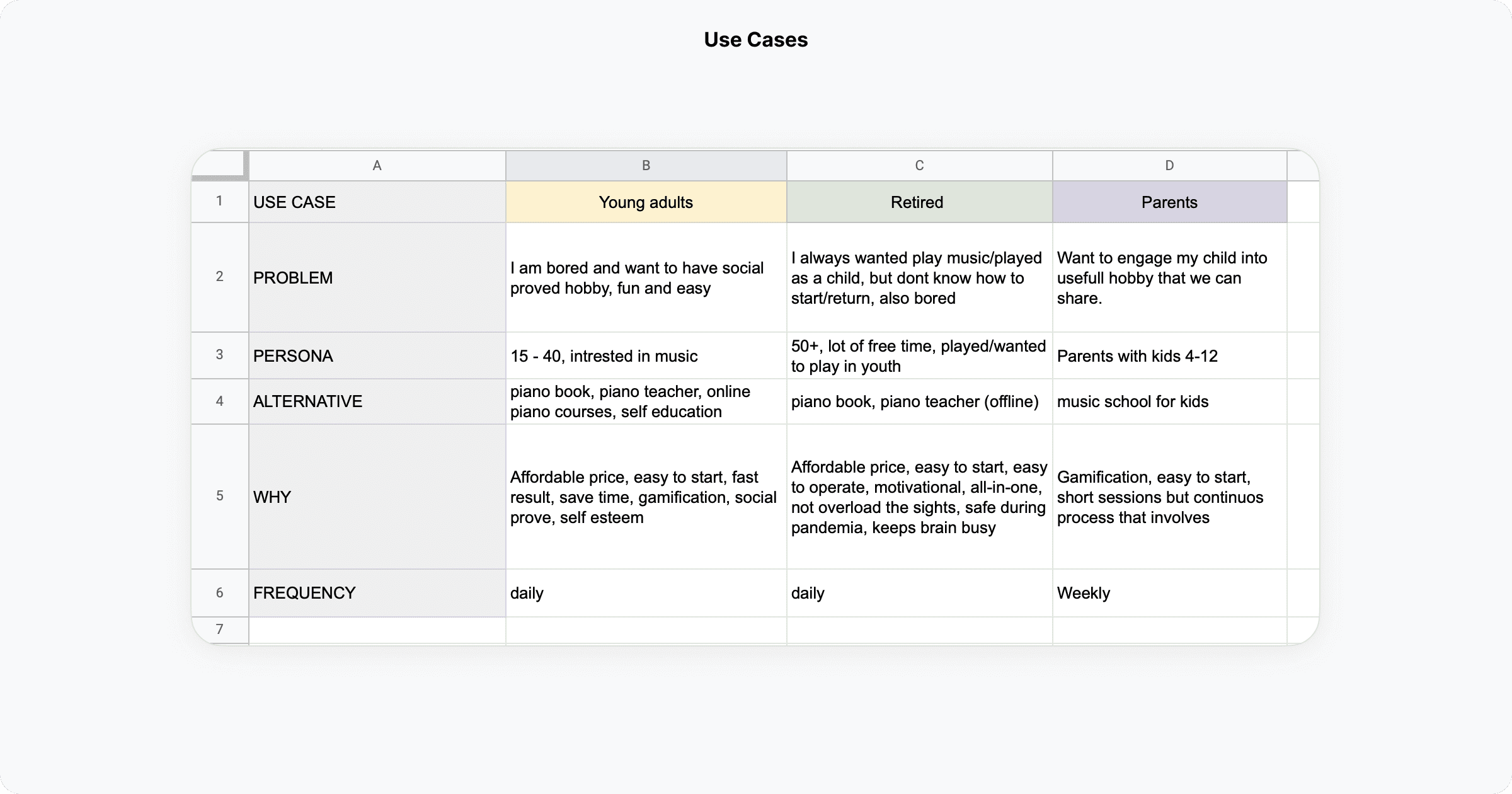
I became a Facebook and Reddit ninja, looking for posts where people shared their frustrations related to piano learning, especially with music apps. I then studied their profiles and gathered demographic data to create use cases. Also, I researched all major players in the piano learning space (Simply Piano, Yousician, Piano) as well as indirect competitors (music courses on Youtube, tutors and educational books).
I looked into their features, writing down pros and cons, analyzing their DAU and revenue as well. I saw this niche was blooming and this and people complains about studying piano was a prove our idea
Identifying Features
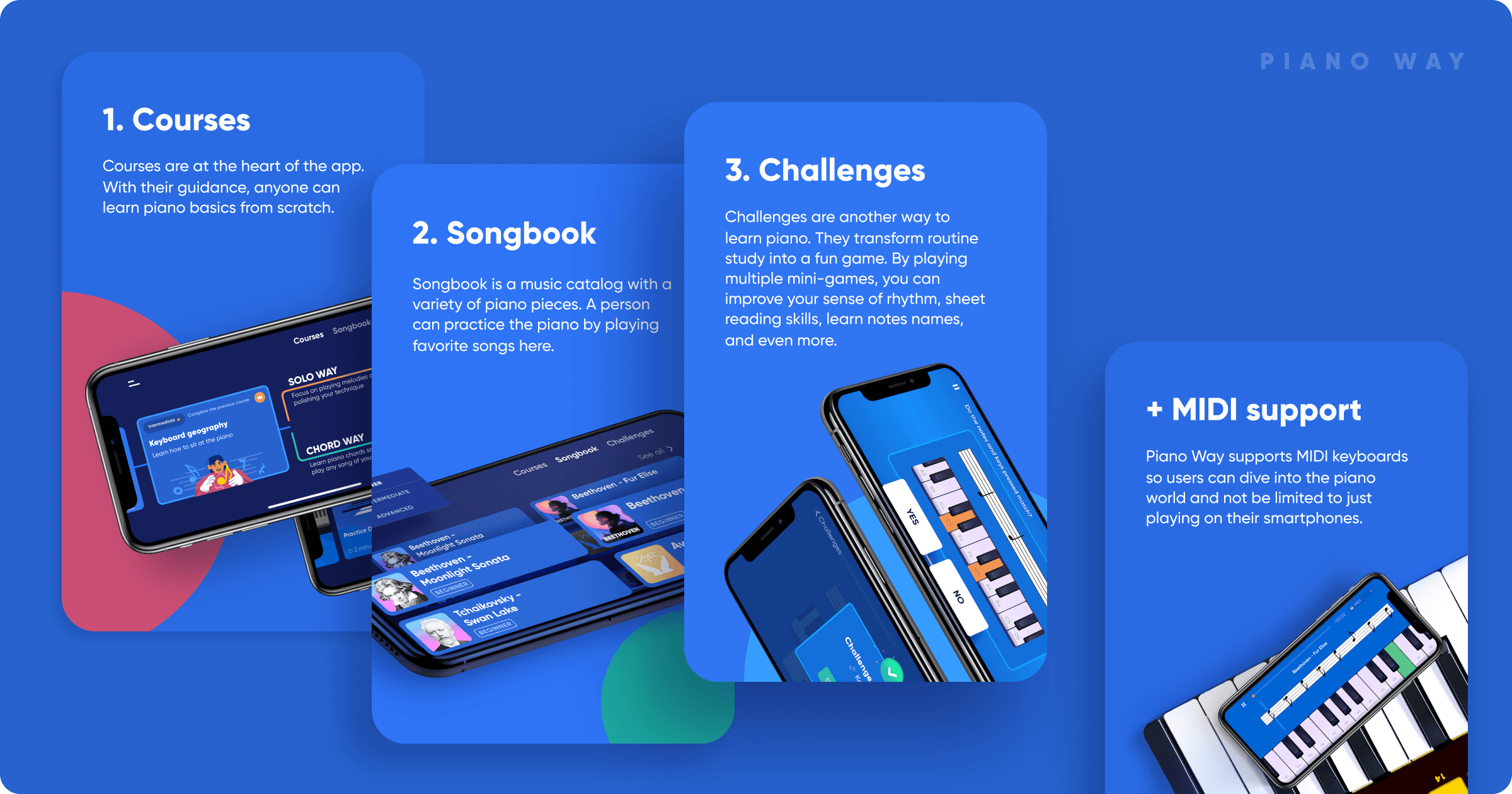
Based on the research, we identified three main features to include in our MVP and test.
- Piano course
- Songbook
- Challenges
Piano course
The course is a core product feature. It guides users through video lessons mixed with practice. The course starts with Piano Basics and then splits into two branches: Solo Way, focused on playing melodies note by note, and Chords Way, focused on learning and playing chords
Songbook
It’s a music library with notes for well-known songs. You can learn a song there without going through piano basics if you want. The idea is simple: I want to play one song for my birthday without taking long piano lessons.
Challenges
Challenges is a set of small piano games that train the skills you want - faster note reading, better reaction, improve plying speed
User Flow
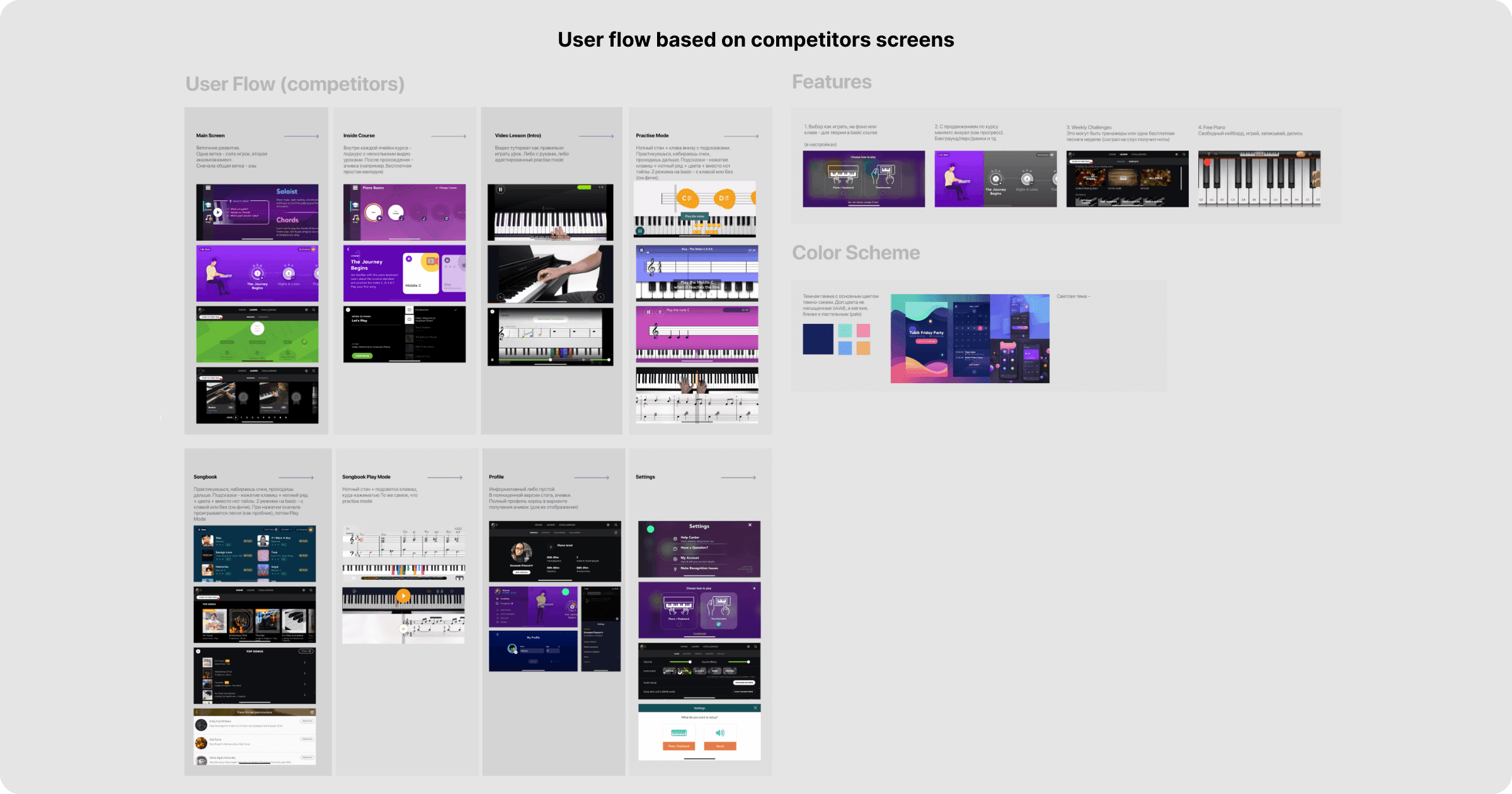
I wish I could say we had all the time in the world to create a complex CJM and detailed UX flows, but we didn’t. We were working with tight timelines, operating like a small startup inside the company. So I used techniques you normally wouldn’t see in a design portfolio. Still, everything here is real — we truly used every possible way to speed up the process and release Piano Way as soon as we could.
So here’s how it looked in fast-paced reality. I created a UX flow using screenshots from our main competitors, combining a reference board and a user flow at the same time. This fully covered the idea, and after approval, we moved on to the next step — design.
Time for MVP
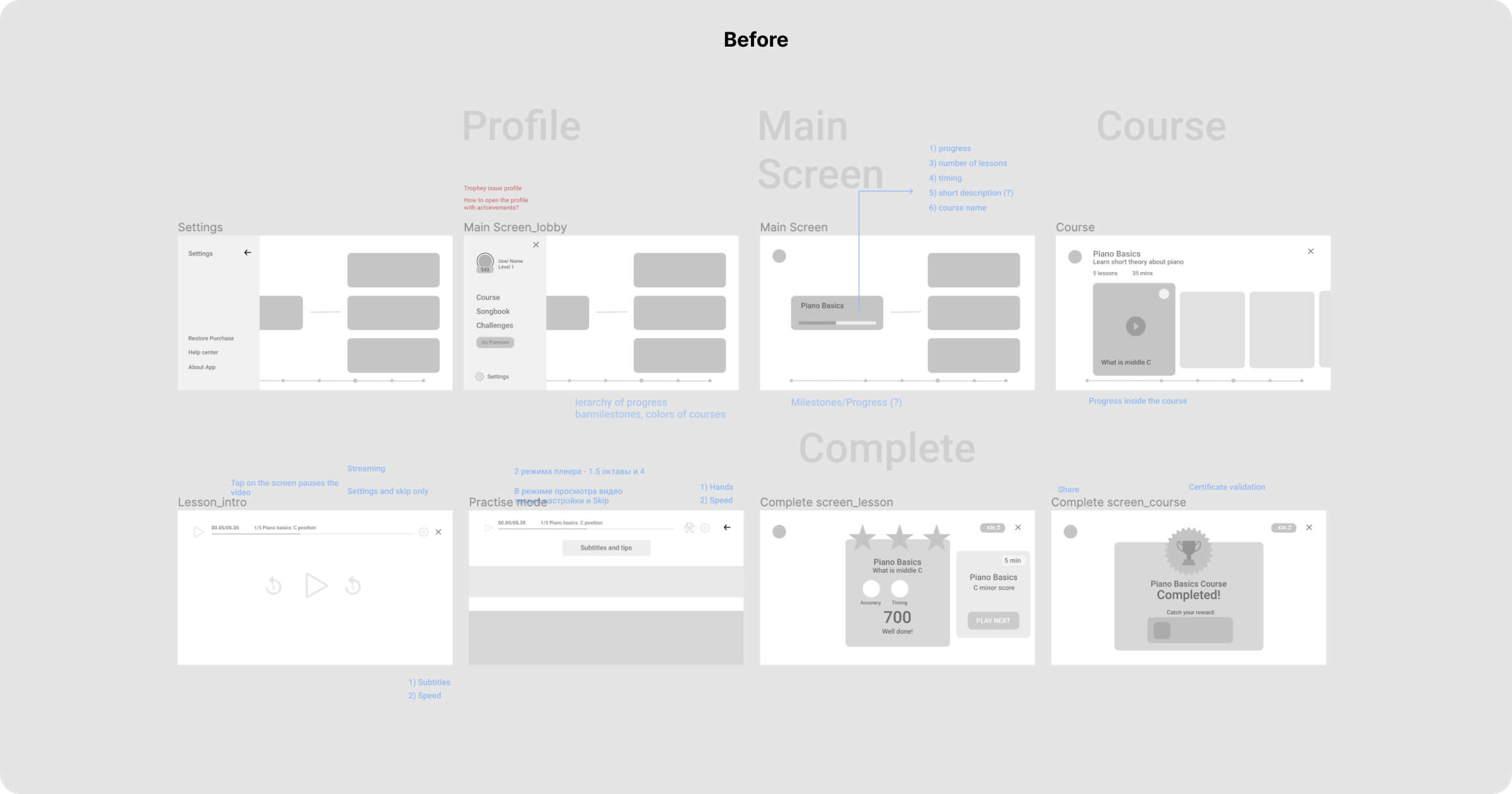
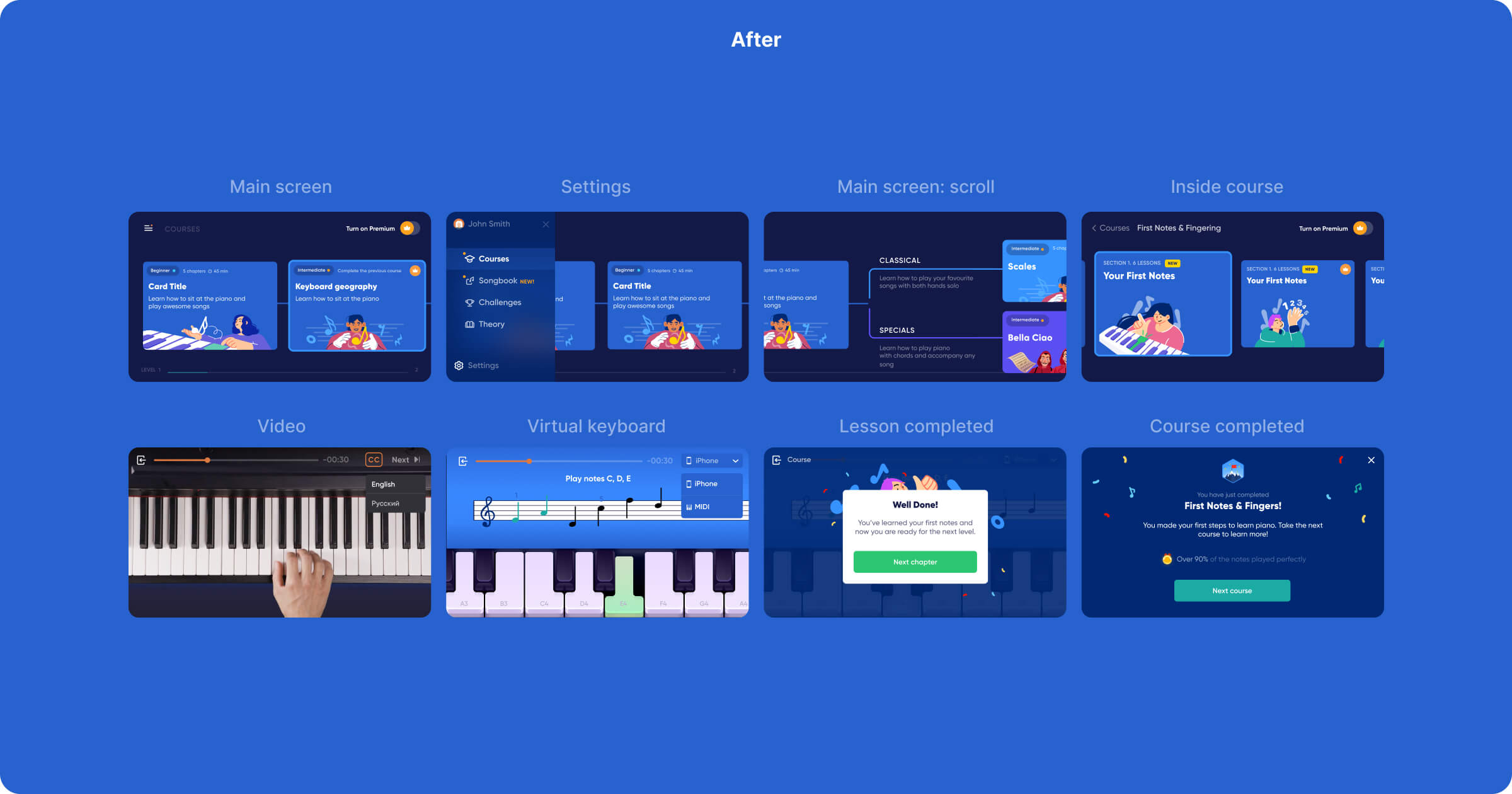
The first sketches showcased our idea of three main courses branching out after the basic course. Later, we decided to keep two and increase the number of basic courses instead.
Tests
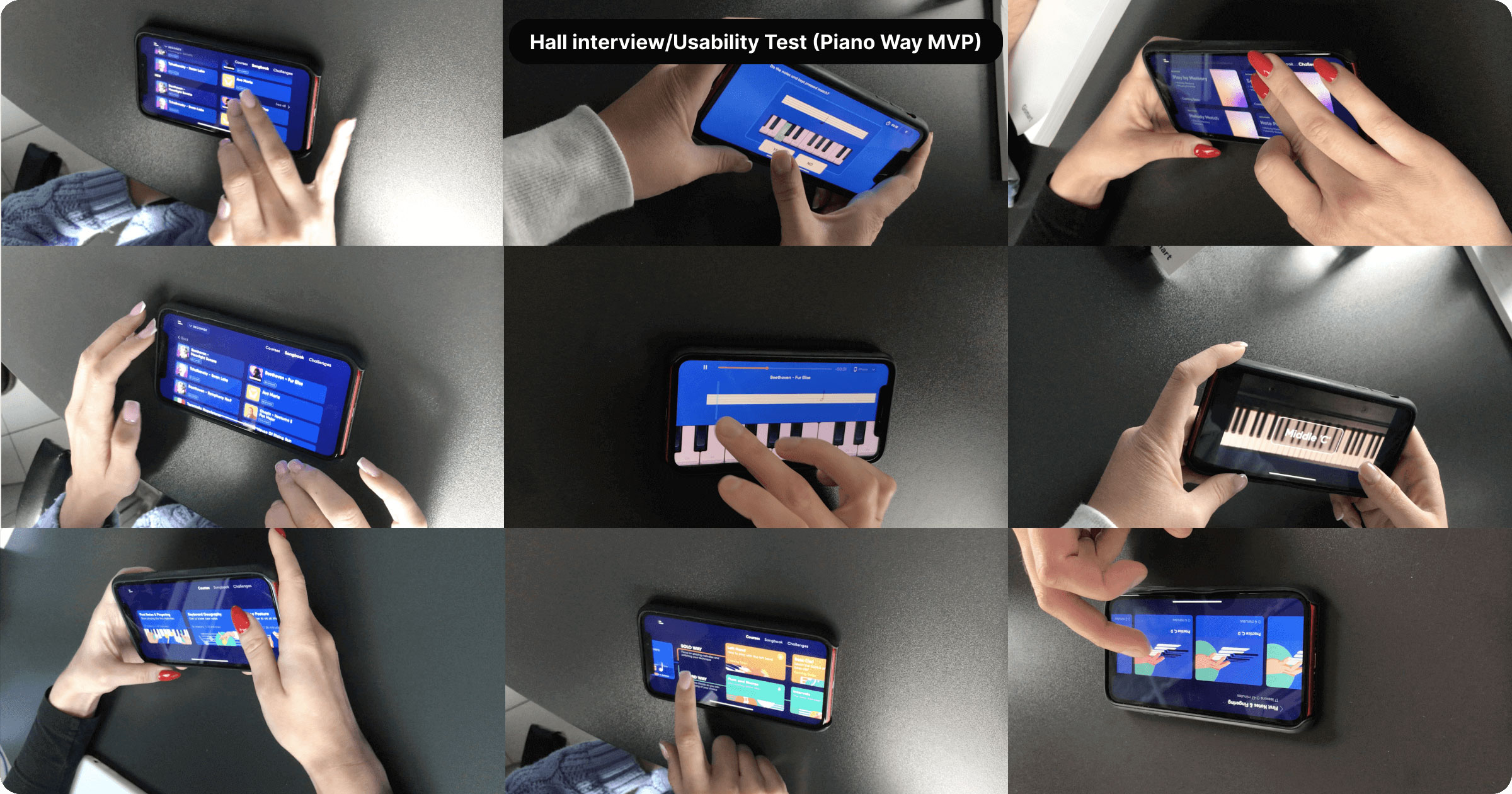
After the first MVP was released, I ran a series of usability tests, user interviews, and hallway interviews.
As I mentioned, we had a tight budget for interviews and needed to gather any insights we could. So we ran hallway interviews at the office and got some useful usability feedback. I asked people to complete a small task and comment on everything they saw on the screens, while we took notes and recorded videos. After that, we compiled a list of UI/UX issues — like popup blindness or an exit icon being too small — and addressed them one by one.
User feedback and product metrics helped me identify the main product challenges.
Product Challenges
During user testing at the MVP stage, I gathered a few common concerns from our target audience.
Concern 1
- I don't have the access to the actual piano/not ready to splurge money for a hobby they are not sure about.
Concern 2
- I don’t have time for serious studying/ bored with long practice.
Concern 3
- I think playing the piano is too hard to even start
As you can see, most users struggled at the very beginning, not trusting the app and thinking it was a waste of time. I worked through each concern, creating optimal solutions to help users get started.
No Piano Solution
Most users have dreamed of playing the piano for years. Maybe they played it before at school, or maybe they’ve only admired it from afar. Now they’re adults (35–60+) and unsure whether this dream is still worth investing in.
💡 Idea
Give users a chance to start playing the piano without a real instrument, and help them decide whether piano is right for them before purchasing one
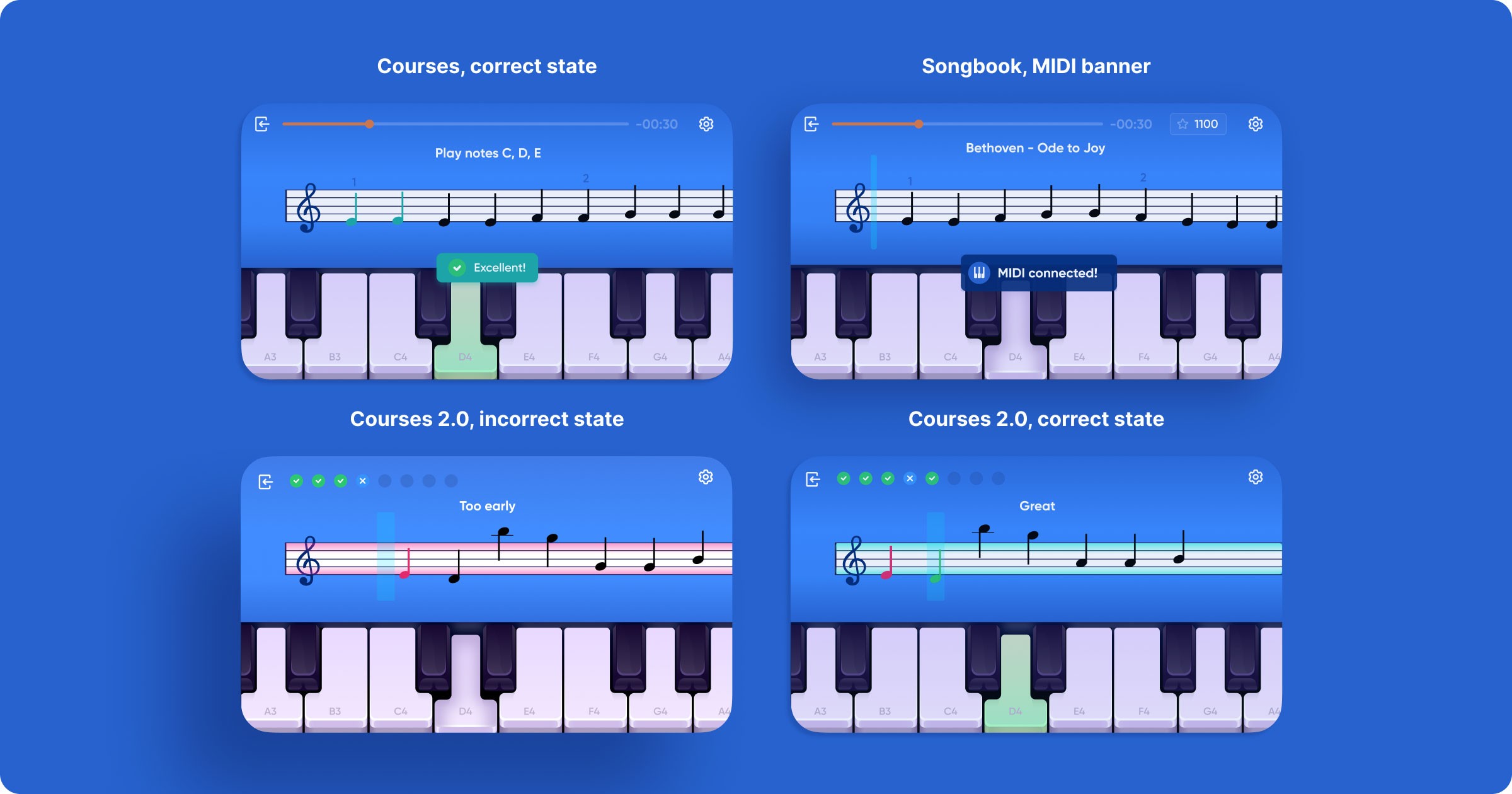
To help users understand what playing the piano feels like without a real instrument, we created a virtual interactive keyboard.
At first, this feature was built for the Songbook, but later we recognized it as a potential killer feature and expanded it across the learning experience.
Virtual interactive keyboard
Virtual interactive keyboard substitutes a real piano when user doesn't have a real one yet. It helps users to complete first courses, and even play easy melodies before getting an instrument. This feature gives the basics of piano play, but what is most important - also an understanding of what it is.
Users can make the next step and purchase the instrument or stay on the beginner courses or Songbook and just enjoy easy melodies as long as the user wants.
Outcome
+21% activation rate among users without a real piano
+4% retention D3
No Time Solution
There is a large number of adults with families, kids, and jobs in our audience (about 68%). According to recent studies, “no time to learn” is the main reason adults don’t get involved in education, even as a hobby. I understand that having time says a lot about motivation, but let’s be real. One of our respondents has two kids, a job, and aging parents — and all she wanted was to have fun playing the piano, not spend an hour learning theory and never get to practice.
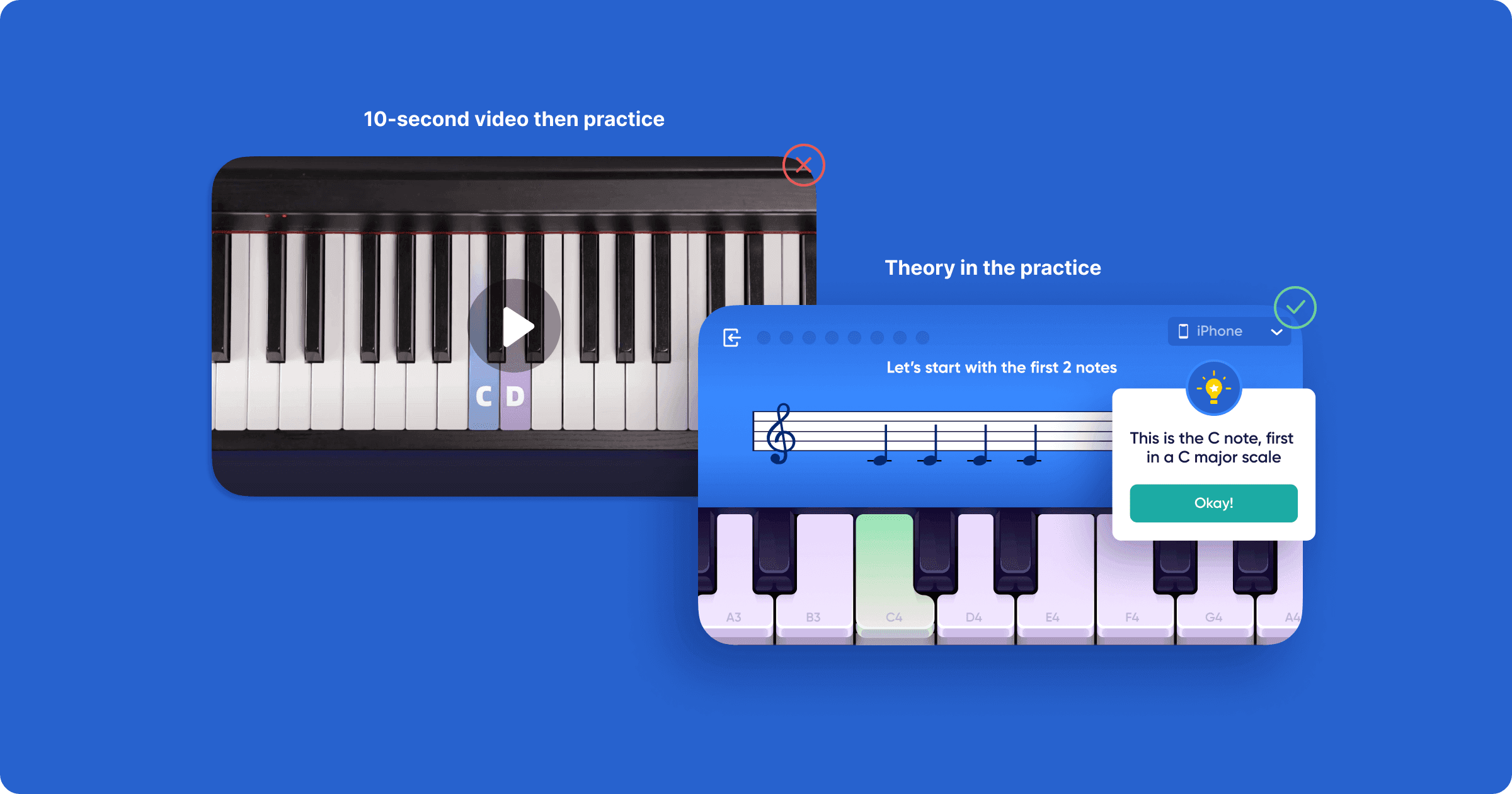
Also, user paths in Amplitude showed us that users tend to skip theory videos and went straight to practice. Can’t blame them, totally understand that watching is not as amusing as trying. So the next solution I offered is to shorten the video lessons drastically by…cutting some of them out.
We split our courses into small pieces, weeded out all unnecessary things for beginners, and trim the timing as much as possible.
💡 Idea
Short, consistent lessons with theory integrated directly into practice mode, so users can start learning and playing right away.
Outcome
The percentage of users who finished the first lesson increased, as did the number of users who started the next lesson (by 19% and 12%).
This positively impacted user engagement and confirmed our hypothesis about the effectiveness of a rapid educational flow.
Piano is Hard Solution
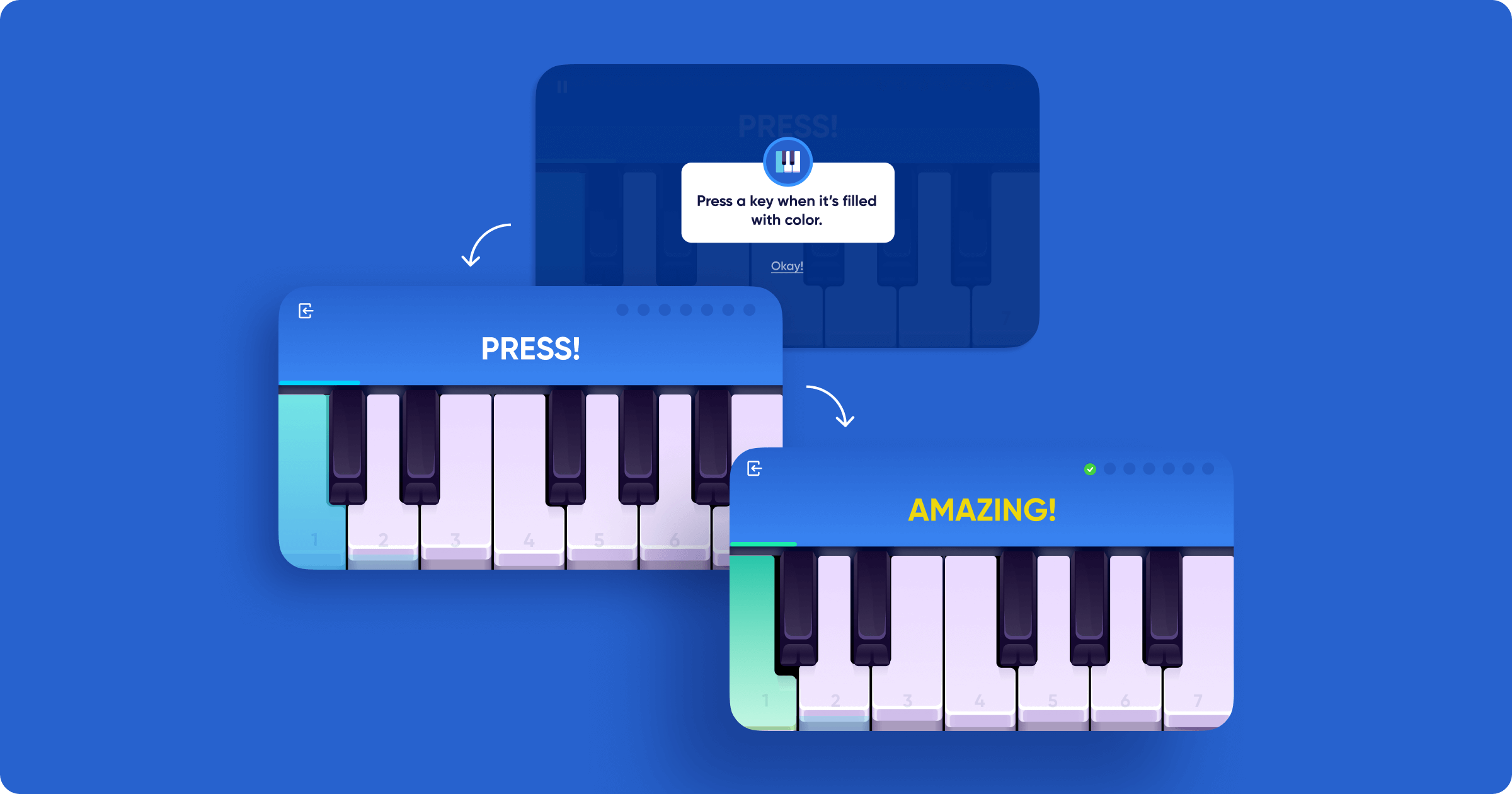
As the solution to people's concerns about the complexity of playing the piano we created the AHA-moment where we showed users that piano is not a rocket science and that everybody can play.
AHA moment
It’s a simple, game-like practice at the start, where the user taps virtual piano keys in a specific order. The first step is a scale, where notes are played one by one so the user can hear how they sound. This is followed by a simple melody. The user understands that the keys they pressed earlier come together to form a melody - ahhhaa!
💡 Idea
If you can manage this practice then you can handle the piano play (the practise is super simple)
Outcome
+12% of users started and completed the first lesson
+3% to retention D3
Design Library
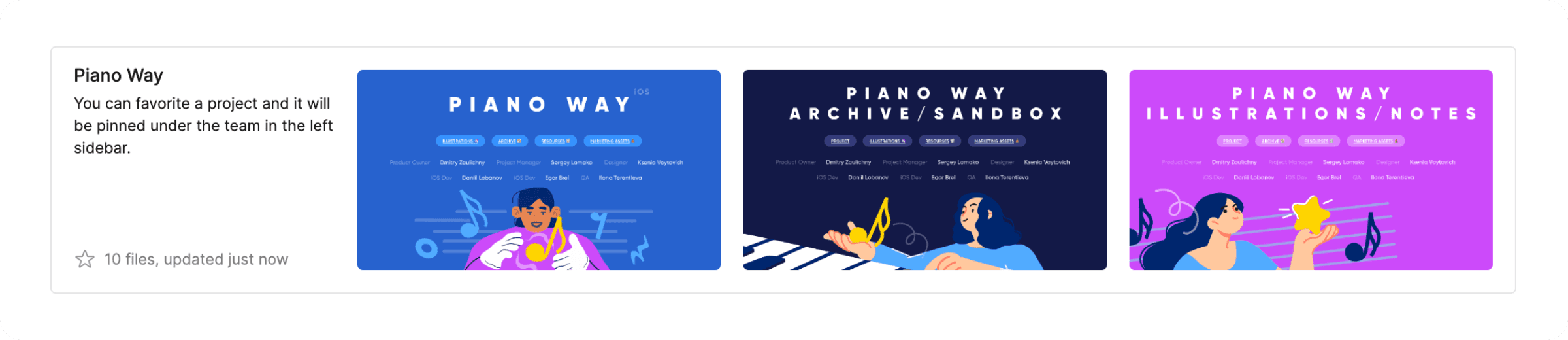
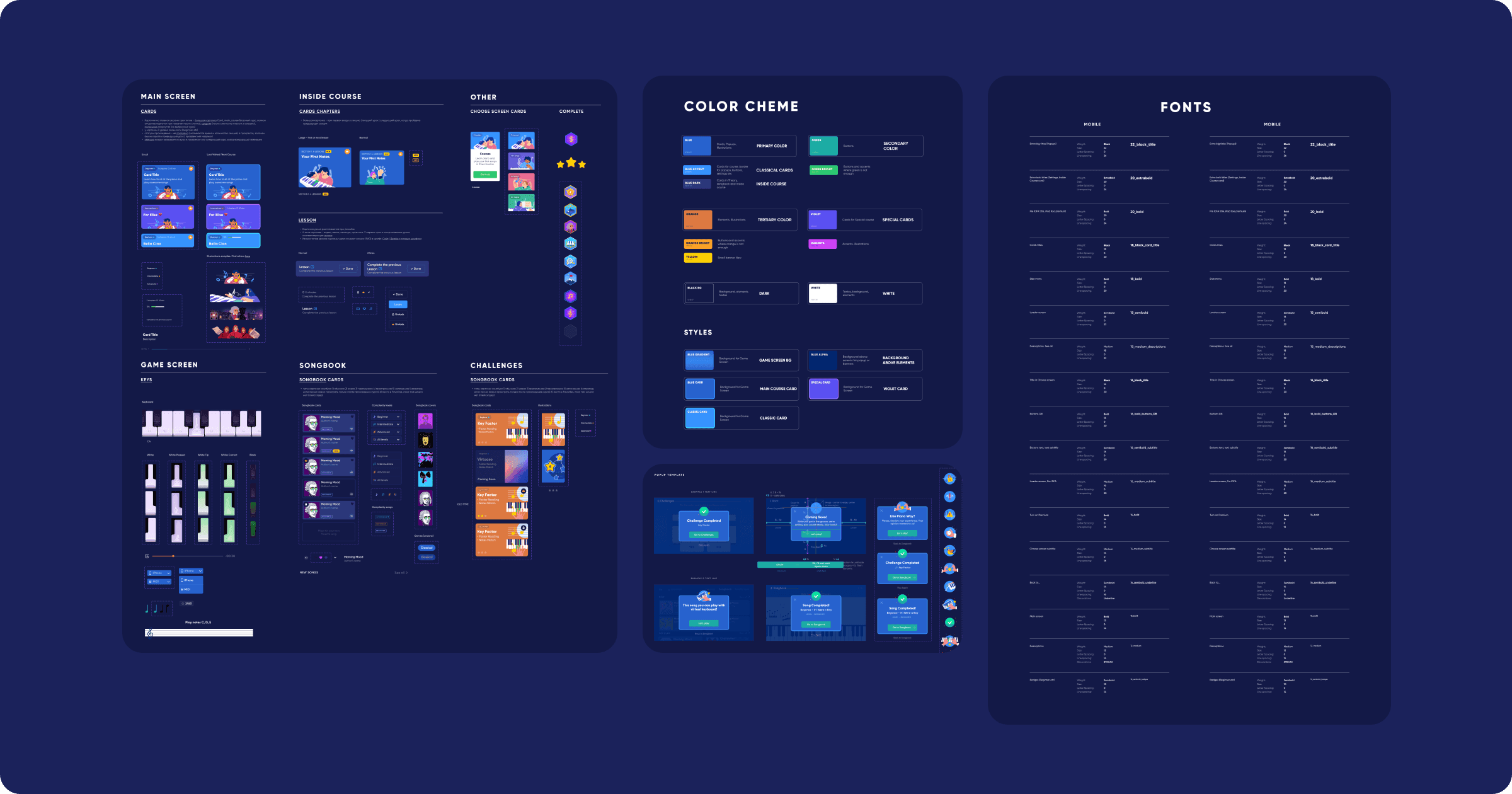
I created a Design Library for internal use, along with a clear Figma file structure. I made sure everyone knew how to find specific product and branding assets, created dedicated covers for Figma files, and organized everything for easy access.
Retrospective
Working on Piano Way was especially meaningful to me as a former piano player. We had the freedom to make real product decisions, and although the team was small, we created something we’re genuinely proud of.
Piano Way was launched in August 2021 and actively developed until 2022. As a content-driven app, its growth depended on producing new lessons and songs, and eventually the company decided to pause further investment in content production.
The app remains live on the App Store and continues to gain new users daily.
What I'd do differently
If I could go back, I would start talking about content and long-term investment much earlier.
The product showed good early results, but Piano Way is a content-based app, and its growth depended on constantly creating new lessons and songs. Clearer conversations about resources and commitment early on could have helped everyone align expectations sooner.
Lessons
This project taught me that good UX and strong early metrics don’t always mean long-term success. Content-driven products need continuous effort — without new content, even a well-designed product will eventually slow down.
Tradeoffs
At the very early stage, I had to choose between spending time on detailed CJMs and complex user flows, or moving faster to align the team around a shared understanding of the experience.
I chose a faster approach: instead of building full diagrams, I collected screenshots from competitor products and added short explanations to show how key flows could work. This made the ideas easier to discuss, helped the team quickly align, and allowed us to move into implementation without delay.
While this approach was less formal, it enabled fast approval and helped the project gain momentum at a critical early stage.